 TMS
TMS
LogisticBay TMS: Transport management for planners, dispatchers and their drivers.
Take transport jobs in, plan them into runs, put a driver, vehicle and trailer on each run, and send the work to your drivers' phones.
For: Transport operators who plan and dispatch their own work.
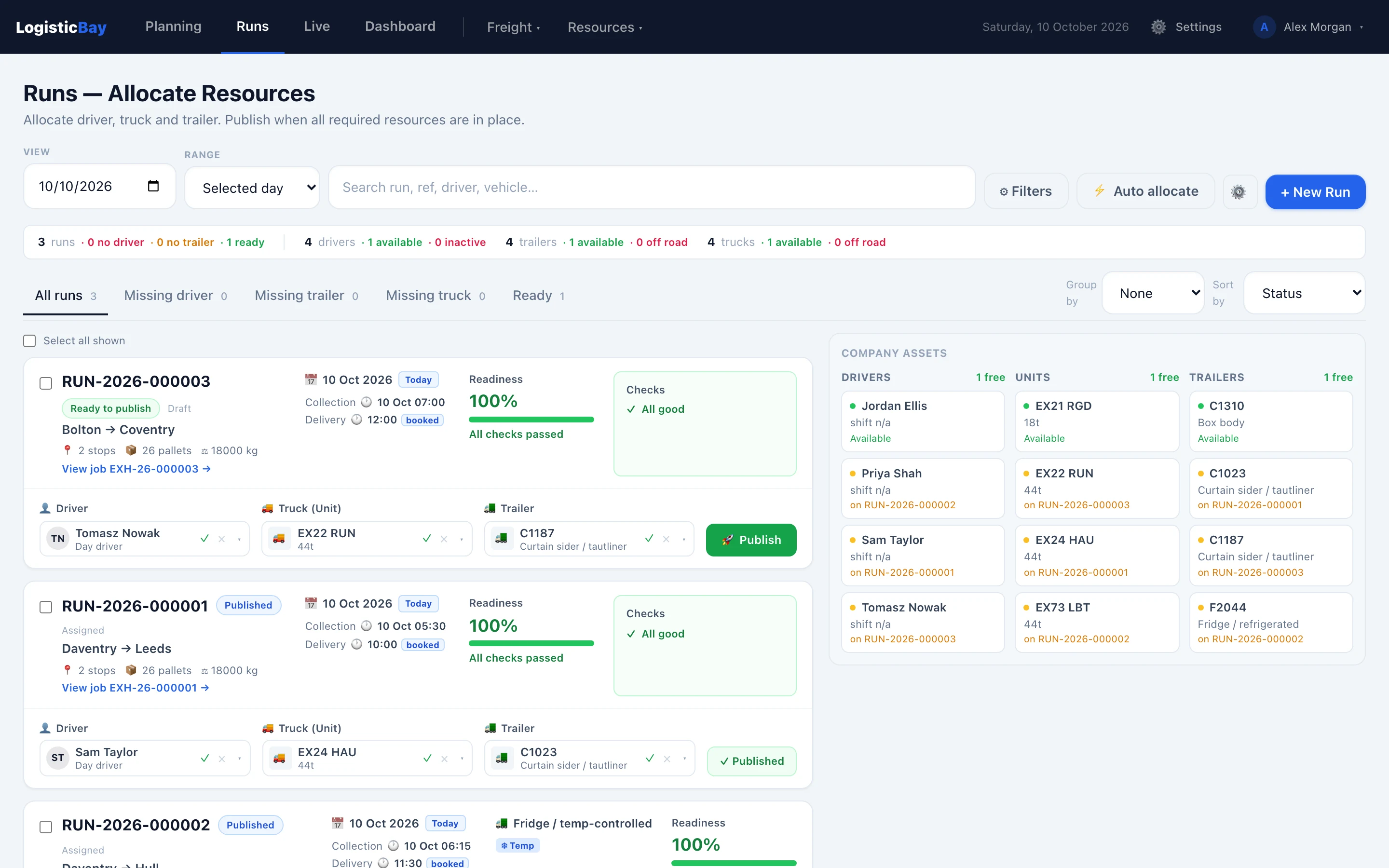
The Runs board — Real interface, fictional demonstration data.
Available today
What it does now
Only what is built and working. The core planning workflow works today. Much of the long-term product is still to be built, and it is currently designed around UK operations.
Detailed job intake
Create jobs with stops, load details and vehicle requirements — including dangerous goods, temperature control and booking references — with checks before a job is ready to plan.
Customer request links
Give customers a link to request transport. Requests arrive for review, and you accept or reject each one.
Runs and allocation
Group jobs into runs, assign a driver, truck and trailer on one screen, and publish the run to the driver.
Driver app that works offline
Drivers see their jobs, safety information and every stop, and record collection and delivery — offline, syncing when the signal returns.
Fleet, drivers and holidays
Keep your trucks, trailers and drivers in one place, and handle holiday requests and approvals.
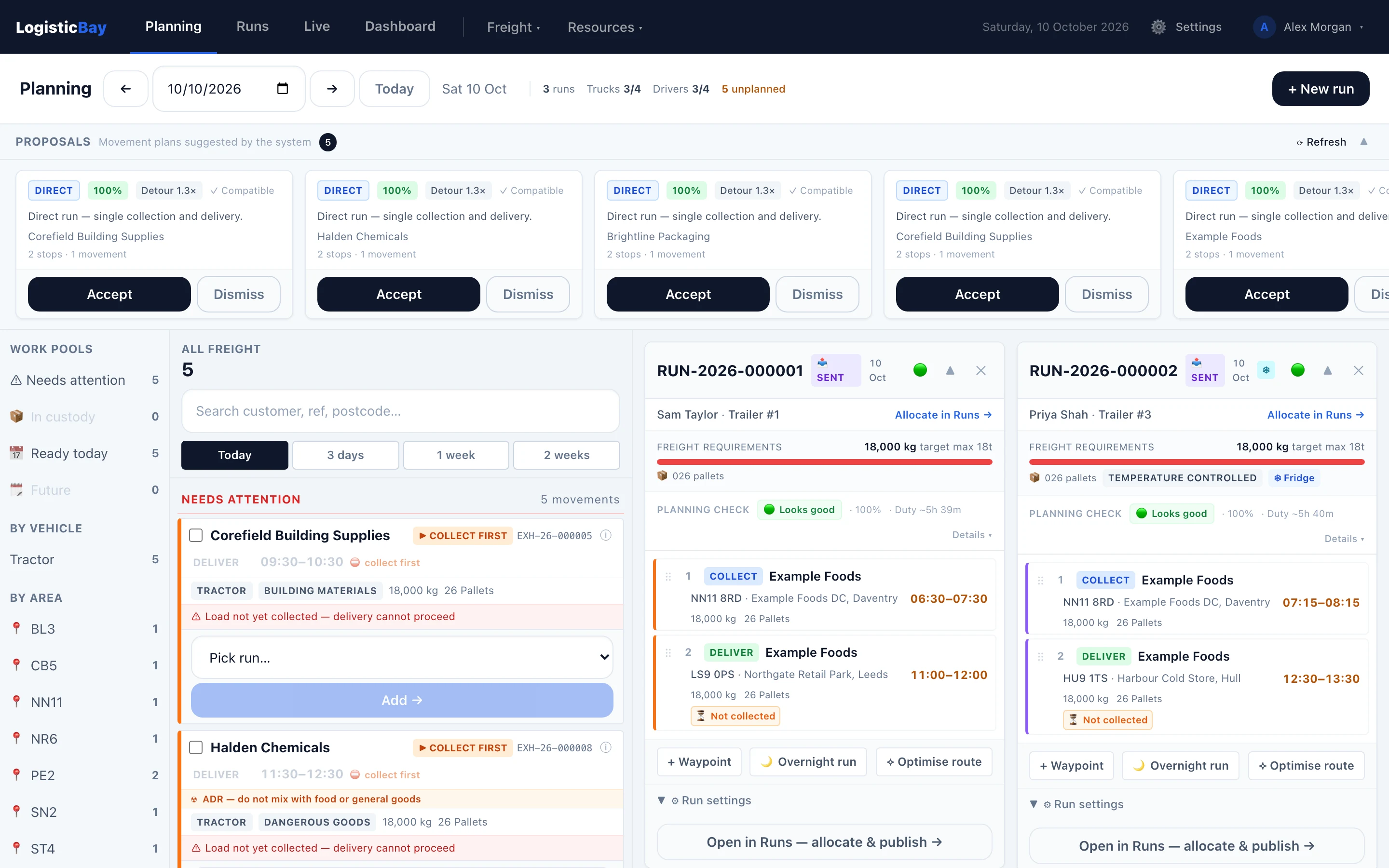
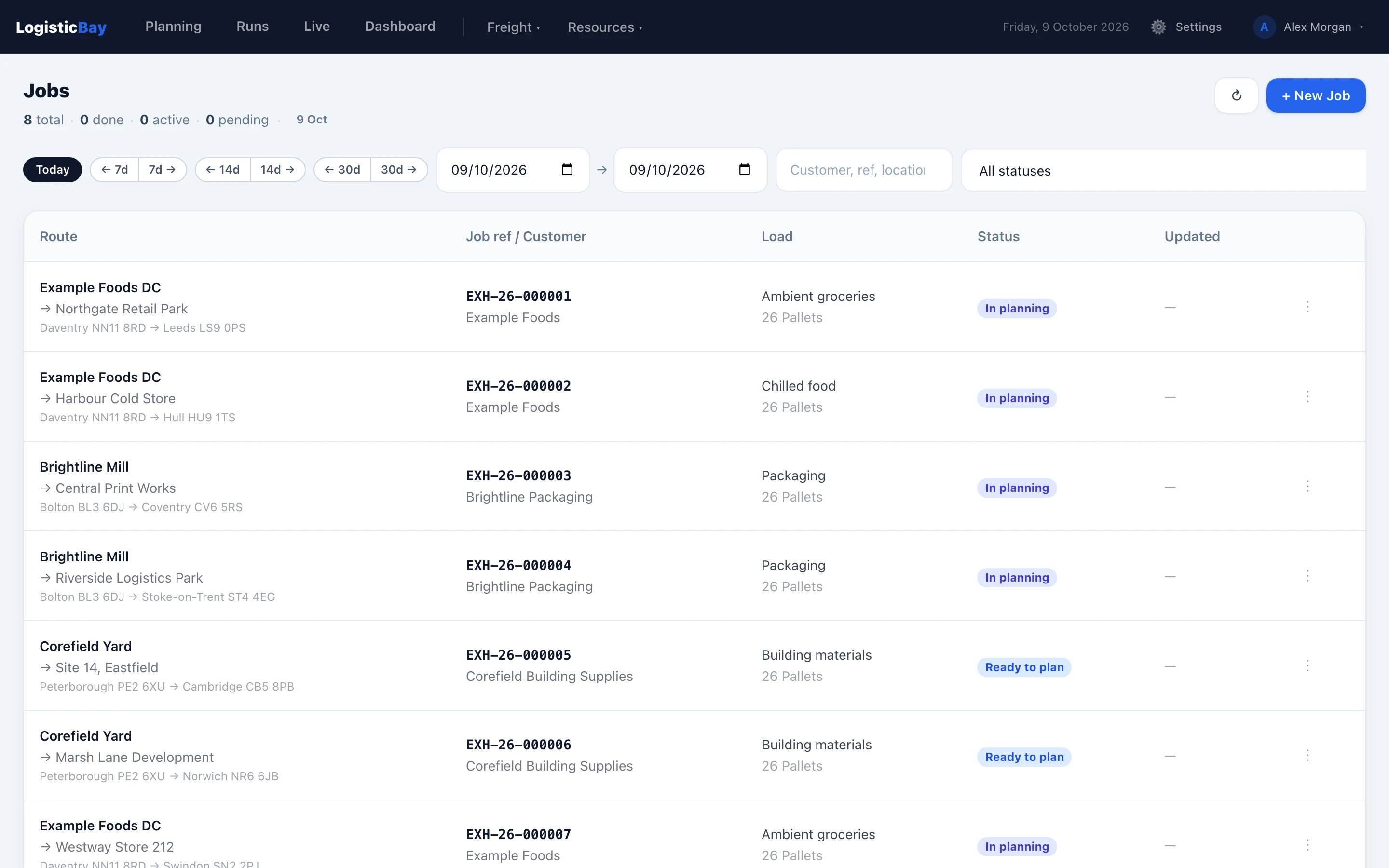
See LogisticBay TMS in full
The TMS website explains the product in detail and is where companies register and sign in.LogisticBay TMS has its own account and data — an account for LogisticBay Timesheets is separate.
Questions? support@logisticbay.com
Looking for something else? See LogisticBay Timesheets